What's included
Everything your child gets, in the order it happens.
A free assessment, a workbook made for your child, and help when they get stuck. Then each new workbook is built from everything that came before.
Free assessment
It starts with a free assessment.
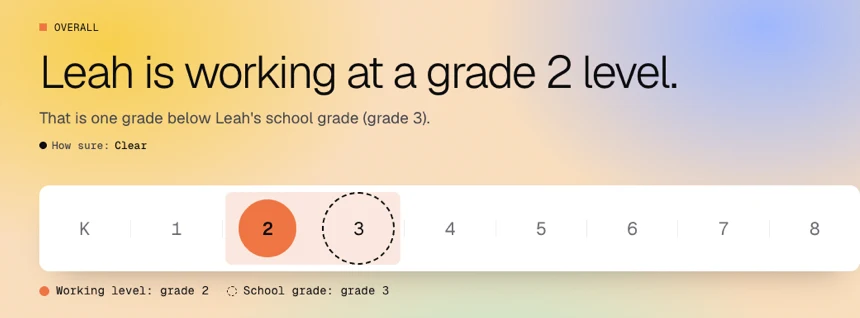
Your child takes a short test online, on a laptop or tablet. Then you get a report: the level your child works at, and the skills to work on next.
See a sample report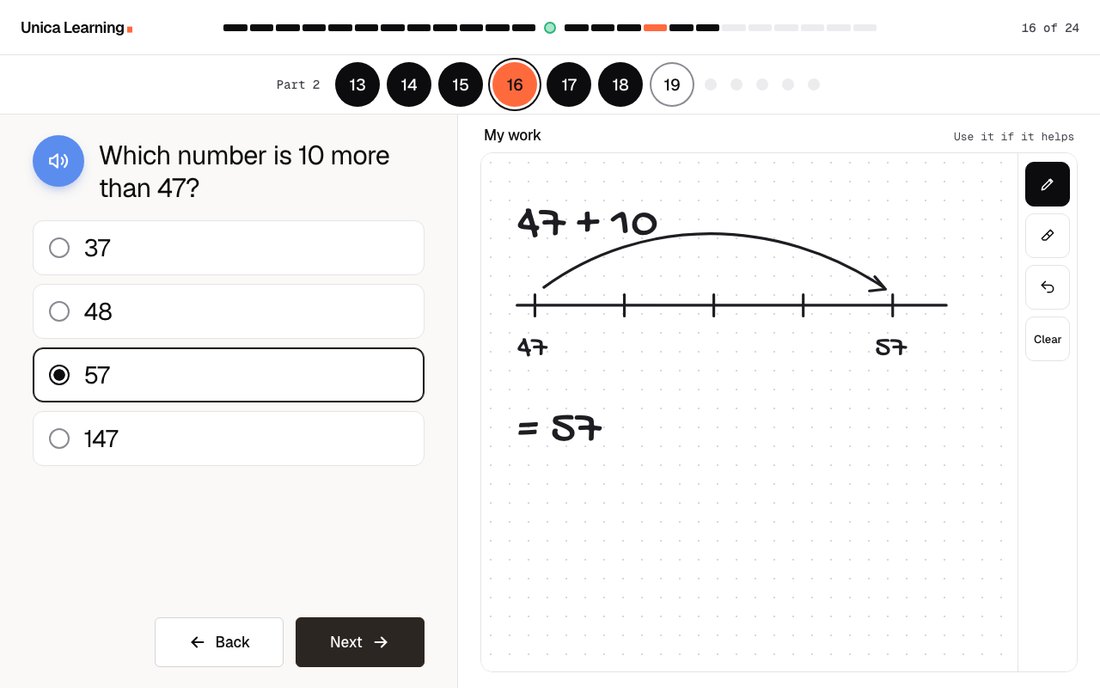
Personalized workbook
Then your child's workbook arrives.
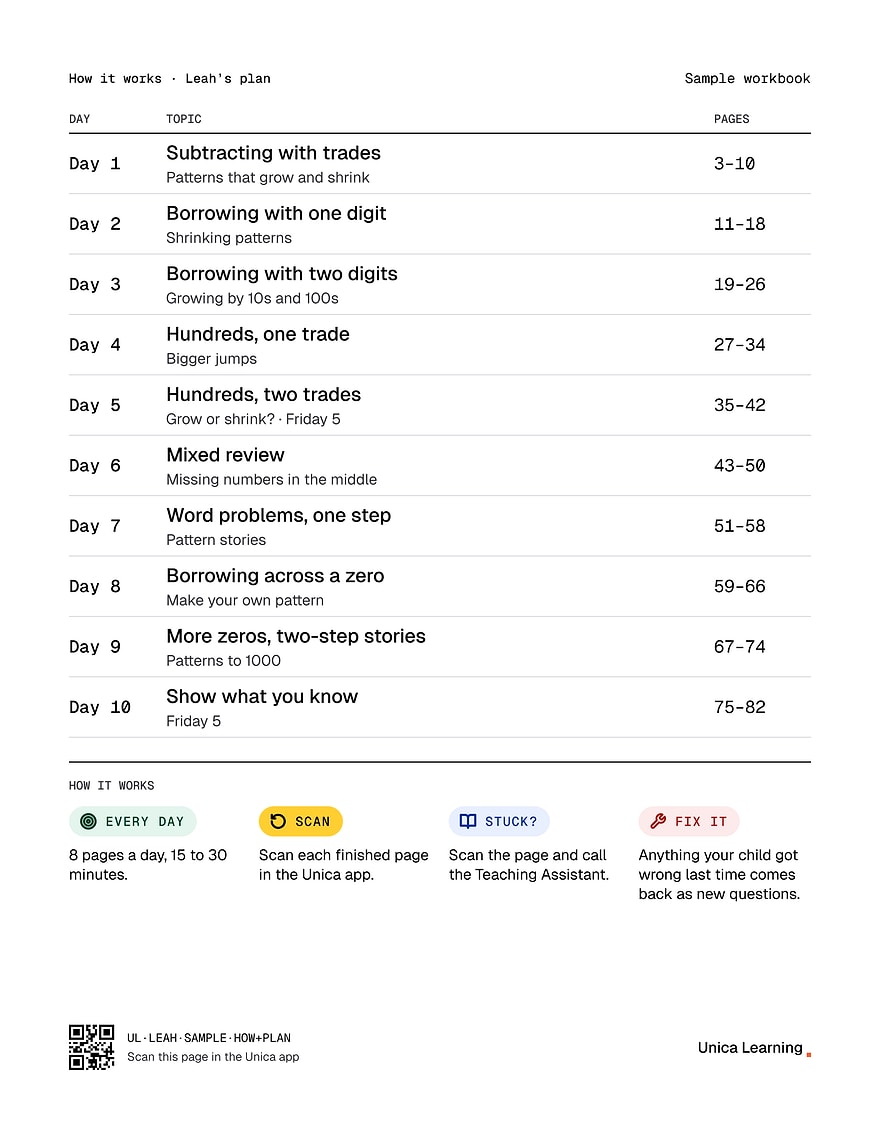
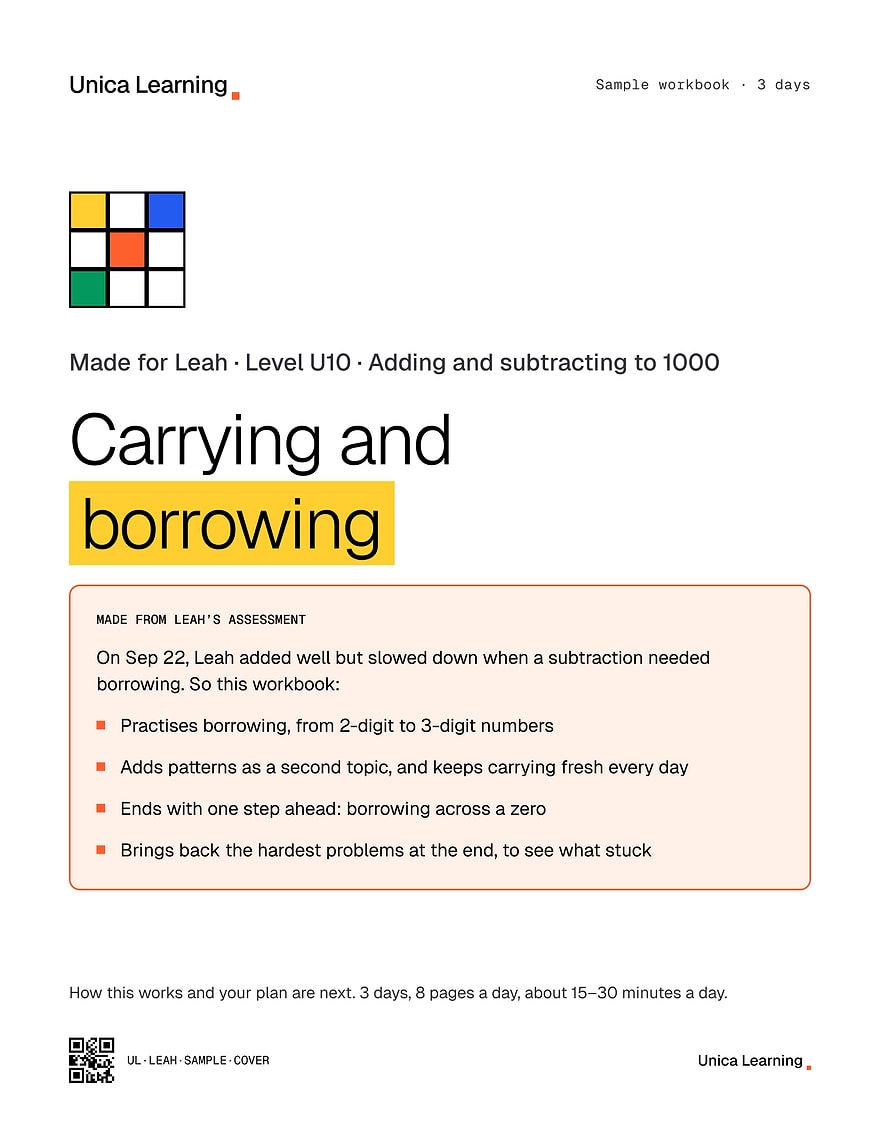
Made from the free assessment, personalized for your child, and mailed home.
AI Teaching Assistant
If they get stuck, Maya helps them work it out.
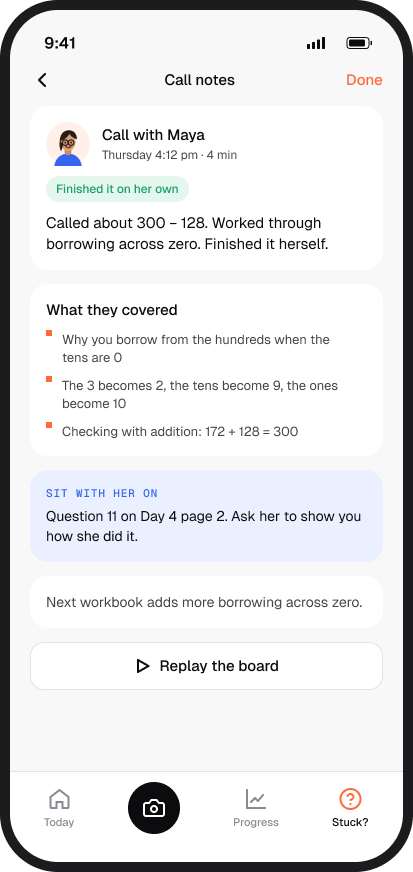
Maya, the Unica AI Teaching Assistant, opens the exact question from the workbook on a whiteboard they both see. Maya explains each step out loud and draws it. Your child answers, asks why, or picks up the pen.
Shown without sound. The captions show what Maya says.
Unica app
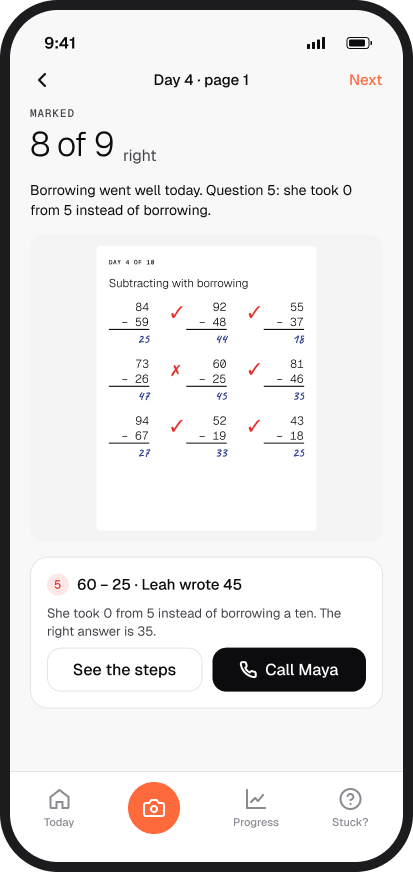
When the day's pages are done, scan them. The app marks them.
Take a photo of each page in the Unica app. Each page comes back marked in seconds, with the steps for anything wrong.

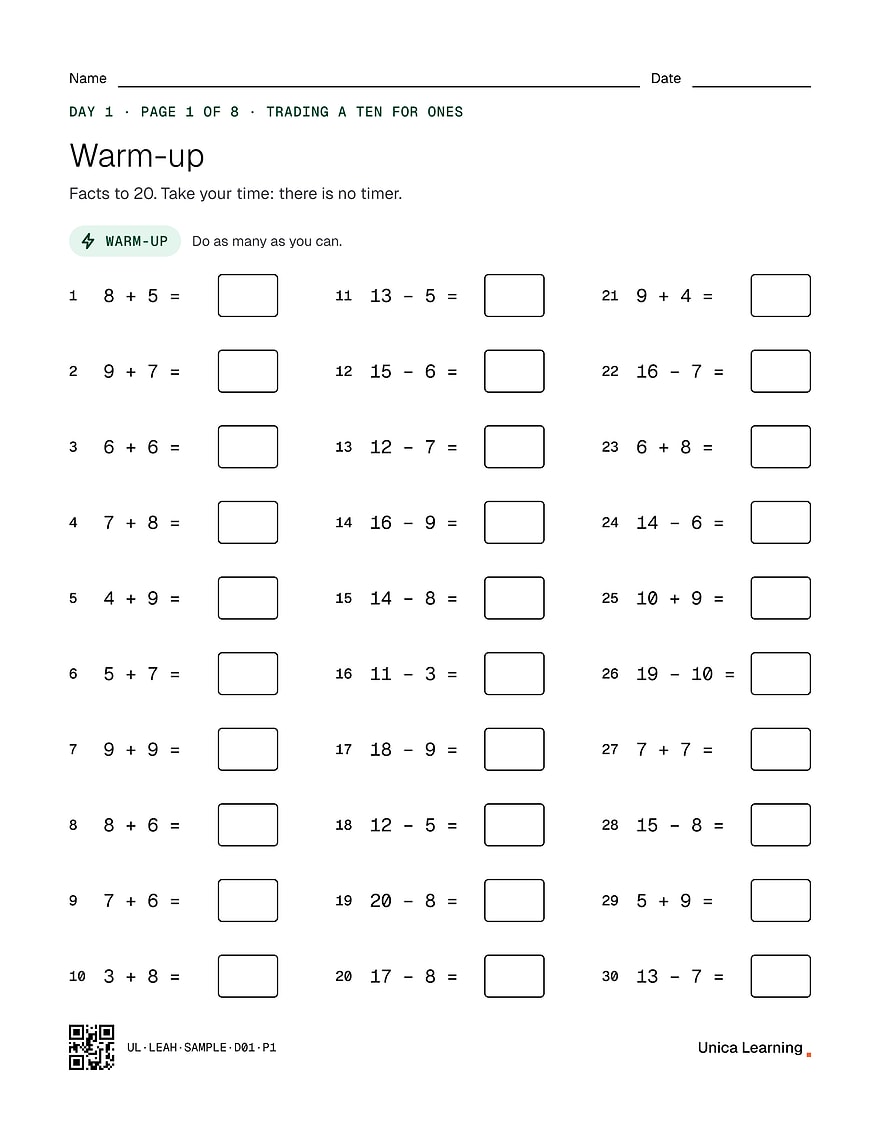 13161215131218141311895136897189139148199147146LeahOct 27
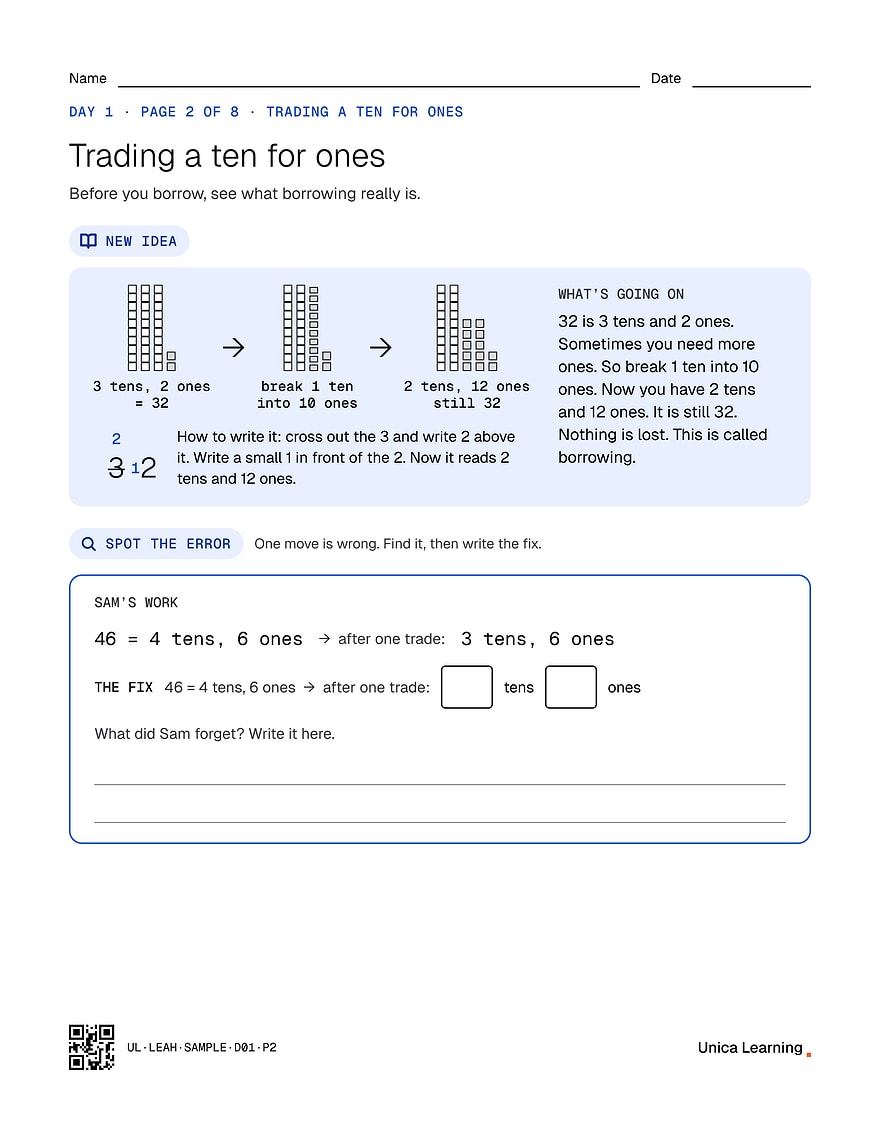 LeahOct 27316He forgot the 10 ones from the trade.
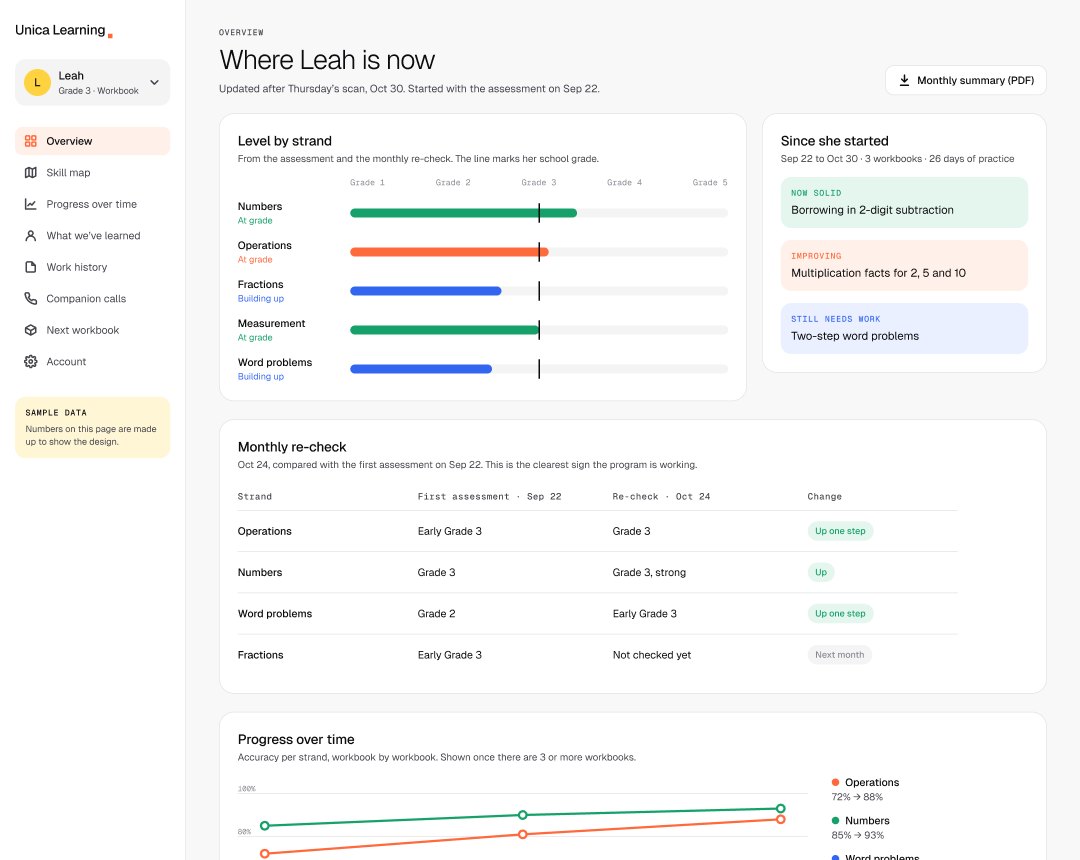
Parent dashboard
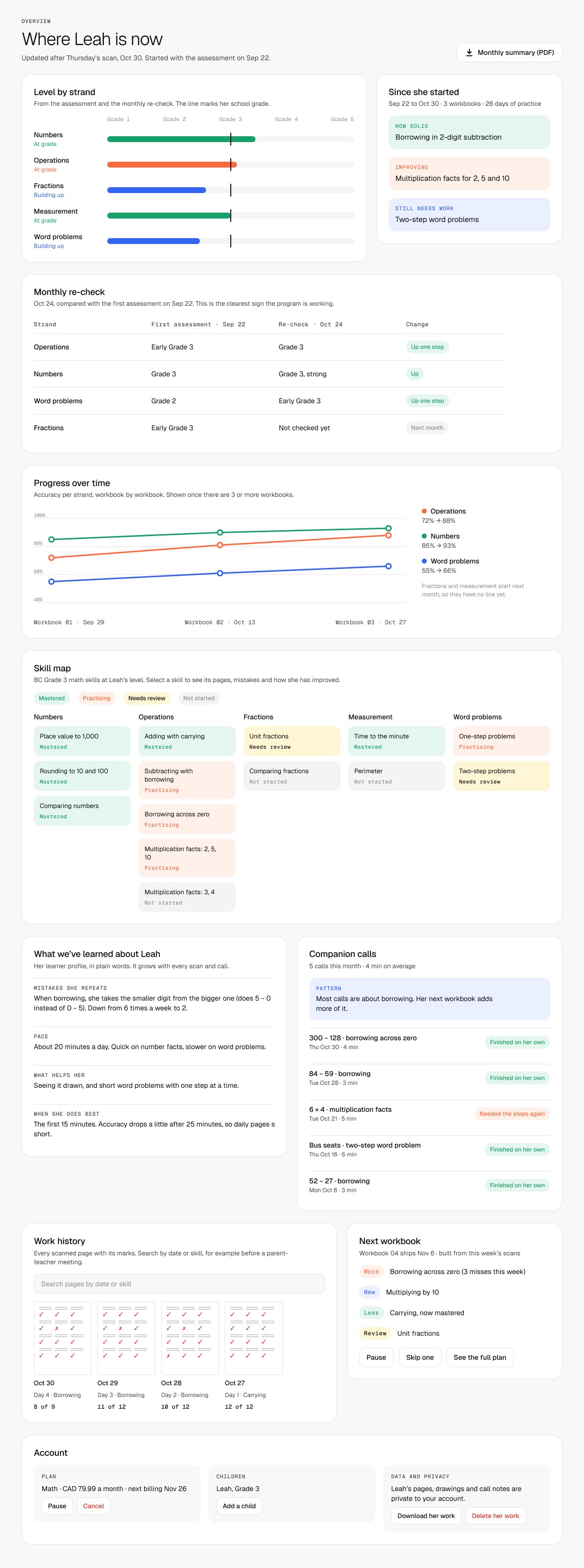
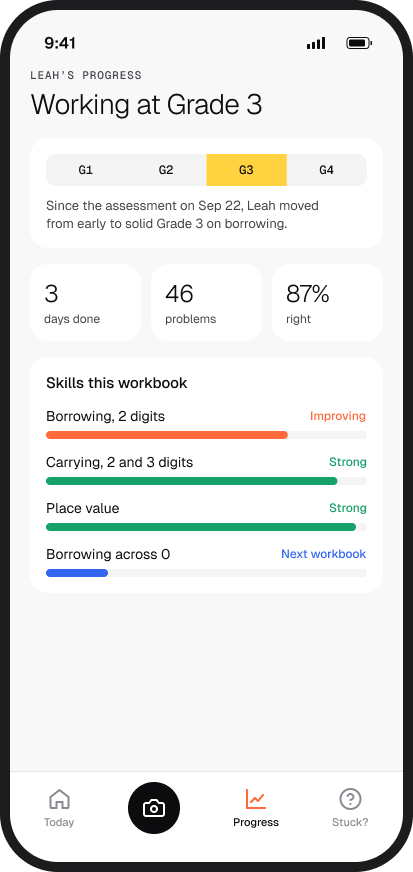
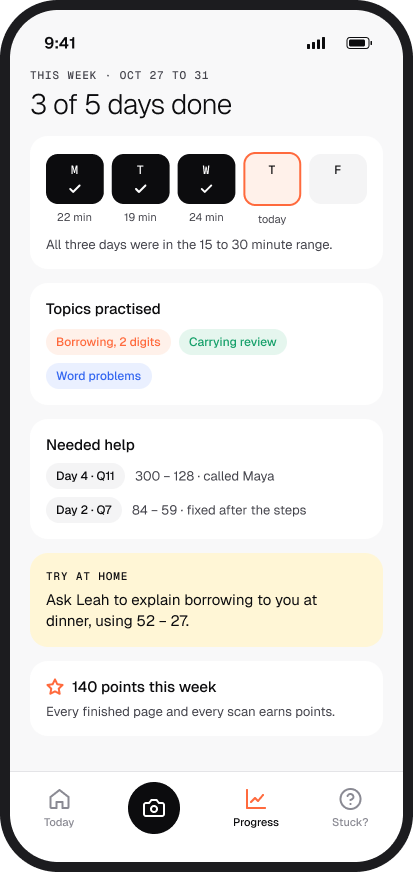
Every scan updates your dashboard.
Level, skills, past work and every session with Maya, on the website or in the app. One account for both.
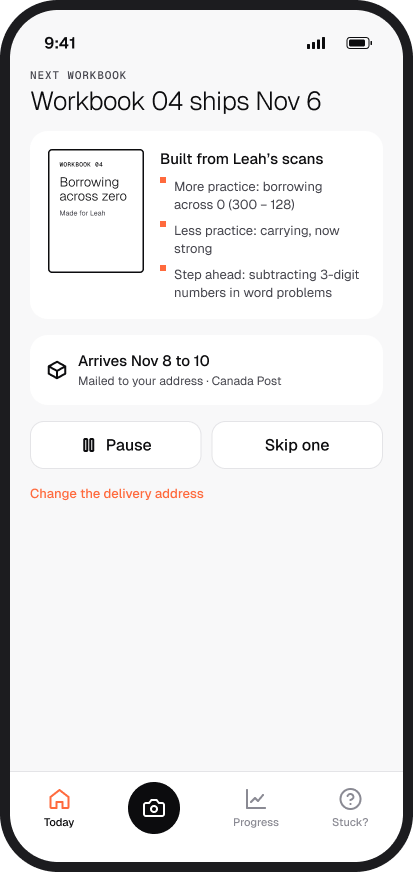
Next workbook
Then the next workbook is made from all of it.
Her marked pages, her sessions with Maya and her assessment decide what comes next: more practice where she slipped, less where she is strong. It arrives before this one runs out.
- 1From her marked pagesEvery page she scans in the Unica app
What it showed: When she borrows, she takes the smaller digit from the bigger one, like 5 − 0 instead of 0 − 5. Carrying: all right.
In Workbook 04: More borrowing across zero Less carrying
- 2From her sessions with MayaThe AI Teaching Assistant
What it showed: Most of her questions to Maya were about borrowing. On 300 − 128 she needed Maya's steps, then finished on her own.
In Workbook 04: More borrowing across zero
- 3From her first assessmentAnd the monthly re-check
What it showed: Her working level, and the skills still to come at that level.
In Workbook 04: New multiplying by 10 Review unit fractions

zero
- MoreBorrowing across zero12
- NewMultiplying by 103
- LessCarrying, now strong1
- ReviewUnit fractions3
It arrives before this workbook runs out. Pause or skip one in the app.
All of it, together
From a free assessment to the next workbook.
Free assessment
A short test online. A report shows the level and what to work on.
Workbook
Made from the free assessment. Mailed home, two a month.
AI Teaching Assistant
Maya works through a stuck question on a shared whiteboard.
Unica app
Scan the pages. They come back marked, with the steps.
Parent dashboard
Level, skills, past work and sessions with Maya.
Next workbook
Built on everything before it. Arrives before this one ends.
Your child takes the test on a laptop or tablet.